iOS 26.1 Beta 4 Lets Users Control Liquid Glass Transparency with a new Toggle
Liquid Glass on, Liquid Glass off
 Written by Daniel Morrisey on Tuesday, October 21, 2025
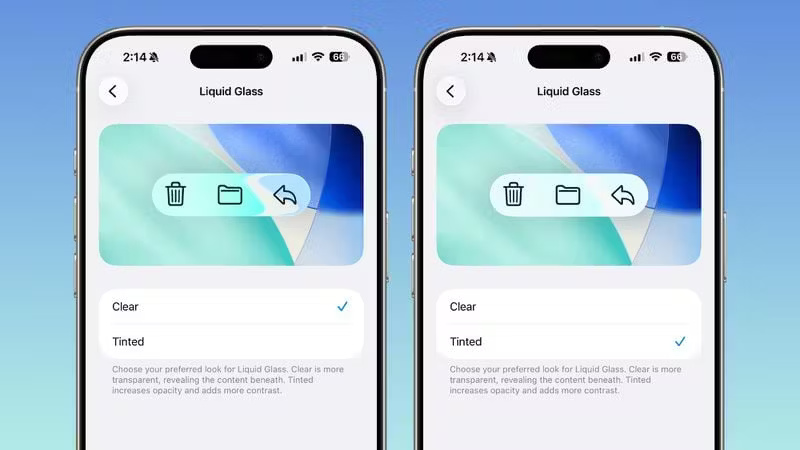
The new toggle lets users pick from a “Clear” option and a “Tinted” option.
The Clear option is enabled by default and is the classic Liquid Glass Look. The Tinted option makes everything frosted and increases the opacity of elements, giving an iOS 18 Look.
To get to the toggle on iOS and iPadOS, go to
Settings > Display and Brightness > Liquid Glass
For Mac Users, the toggle can be found at
System Settings > Appearance
Apple says they added this feature after user feedback suggesting that some users would prefer a more opaque option than the traditional “Liquid” effect.